

From Thomas, teelaunch’s Chief Vision Officer
By now, the advantages of personalized products should be clear.
They create emotional connections with customers, improve product differentiation, and often generate higher margins than generic products.
We’ve also explored how personalization software makes it possible to automate the customization process.
The final step is implementation.
If you are a teelaunch seller, launching personalized products can be done with a straightforward workflow that combines Customily’s personalization technology with teelaunch’s fulfillment infrastructure.

Step 1: Install Customily in Your Store
The first step is installing the Customily app in your e-commerce platform.
If you’re a Shopify user, you can install Customily here with just a couple of clicks.
If you’re on another e-commerce platform, we recommend visiting Customily’s website to check their different available plans.
Step 2: Connect Customily With teelaunch
Once you have Customily installed, you need to connect both your Customily and your teelaunch accounts using your unique API Key.
1. Log in to your teelaunch account, or register with them here if you don’t have an account yet.
2. Click on Account, then Settings. Scroll down until you reach the Developer Settings section and click on Generate Token.
3. The API Key is now generated. Copy to clipboard.

4. From your Customily Admin, select Store on the left toolbar. Then select Settings in the center top options.
5. Choose the Integrations tab, select teelaunch on the dropdown list, and click on Enable Integration.
6. Paste your API Key and Save Settings.

Step 3: Publish Your First Personalized Product
Now that you have your accounts connected, you can start working on your personalized products.
Teelaunch handles production and shipping, while Customily manages the personalization interface and file generation.
- First, you create a customizable design on Customily’s design studio (or you can also use a pre-made design from Customily’s collection)
- Then, you open teelaunch’s catalog directly inside Customily, and pick the product you want to sell.
- You add the design you want to use to the product. Customily will automatically create the product template for you, where the product specifications and the design options are combined.
- Then, you review your product, edit key details like product title, product description, product mockup, and pricing.
- You publish your product directly into your store, and you’re ready to start selling!
Customers will now see a customization interface directly on the product page where they can personalize the item before purchasing.
This interactive experience tends to increase time spent on the product page and creates a stronger emotional connection with the product.
Both factors contribute to higher conversion rates.
When a customer places an order, Customily automatically generates the final design files and sends them through the order workflow to teelaunch for fulfillment and shipping.
This ensures the product produced by teelaunch matches exactly what the customer approved in the preview.
The process is fully automated.
See It in Action
If you’d like to see the full workflow in action, the video below walks through the entire process of connecting Customily with teelaunch and publishing your first personalized product.
After completing this setup, your product will be ready for customers to personalize directly from your store.
If you missed our last blog, here you can find a short video with the basics of Customily and how it works.
Key Factors That Influence Success
While the technology enables personalization, successful stores also focus on strong product concepts.
Personalized products perform best when they revolve around relationships, memories, or identity.
Examples include:
- Family-themed designs
- Couple gifts
- Memorial keepsakes
- Pet-themed products
- Location-based artwork
These types of products resonate emotionally with buyers, which increases their willingness to purchase.
High-Performing Seasons for Personalized Products
Certain e-commerce seasons generate particularly strong demand for personalized gifts.
These include:
- Valentine’s Day
- Mother’s Day
- Father’s Day
- Graduation season
- Wedding season
- Christmas
During these periods, shoppers actively look for meaningful gifts rather than generic products.
Launching personalized collections before these seasons allows stores to capture that demand.
Preparing Your Store in Advance
The most successful sellers prepare personalized products well before peak seasons.
Creating product templates, testing designs, and optimizing listings early allows you to identify which products perform best.
Because personalized products often carry higher margins, even a small number of winning designs can significantly increase store revenue.
Try Personalization Yourself
Before adding personalized products to your store, it’s helpful to experience the customization process from the customer’s perspective.
You can test a live product demo below to see how shoppers interact with personalization features.
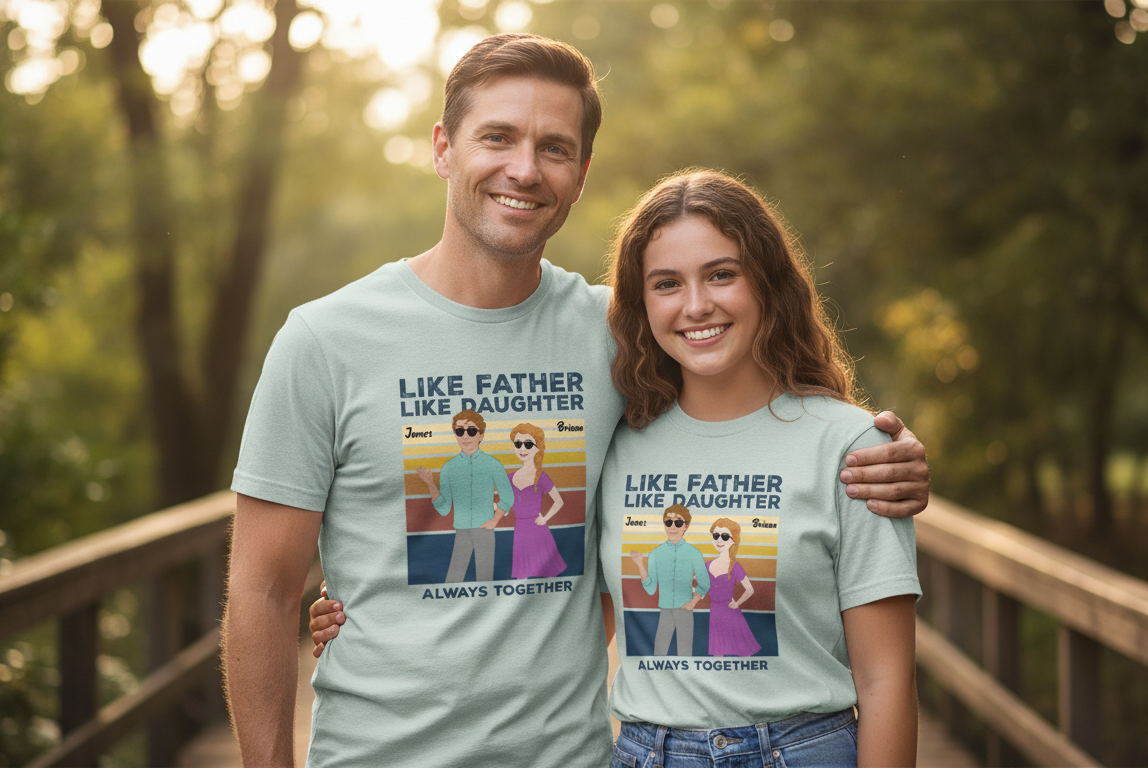
Try the personalization demo of a Personalized Clipart T-Shirt!
Once you see how the experience works, it becomes clear why personalized products are becoming such a powerful e-commerce strategy.
Building a Personalized Product Business
Personalization is quickly becoming a core capability for modern e-commerce stores.
With personalization platforms like Customily managing the customization technology and fulfillment partners like teelaunch handling production, sellers can focus on creative design and marketing.
The result is a business model where each order can be unique while the workflow remains fully automated.
For sellers looking to stand out in competitive ecommerce markets, personalized products offer one of the most promising paths forward.